
Most organisations can list their main website.
Far fewer can list the staging site a contractor put up in 2023, the old mail gateway, the subdomain still pointing at a cloud service the company stopped paying for — or whether somebody can forge an email that appears to come from the finance team.
That gap is the attack surface, and it is where a lot of incidents start. ClickScan is now open in beta, to everyone, with no invitation and no waiting list.
What it checks
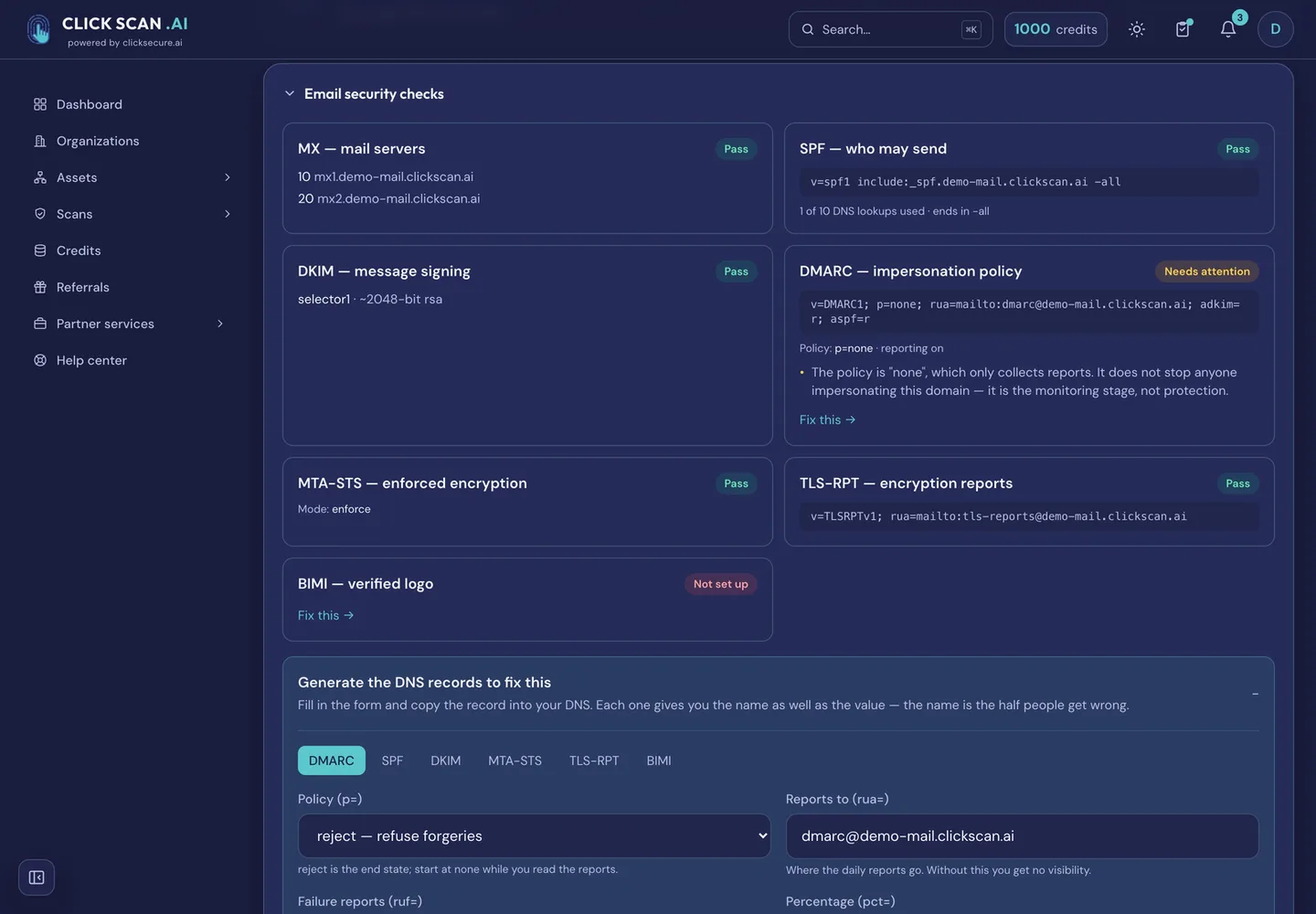
SSL/TLS certificates and encryption, HTTP security headers, email authentication (SPF, DKIM, DMARC, MTA-STS, TLS-RPT and BIMI), a live spoofing test, email breach exposure, the Brand Impersonation Monitor and its deep sweep, a port scan and its full-range tier, and subdomain discovery and its deep sweep.
Two are worth calling out.
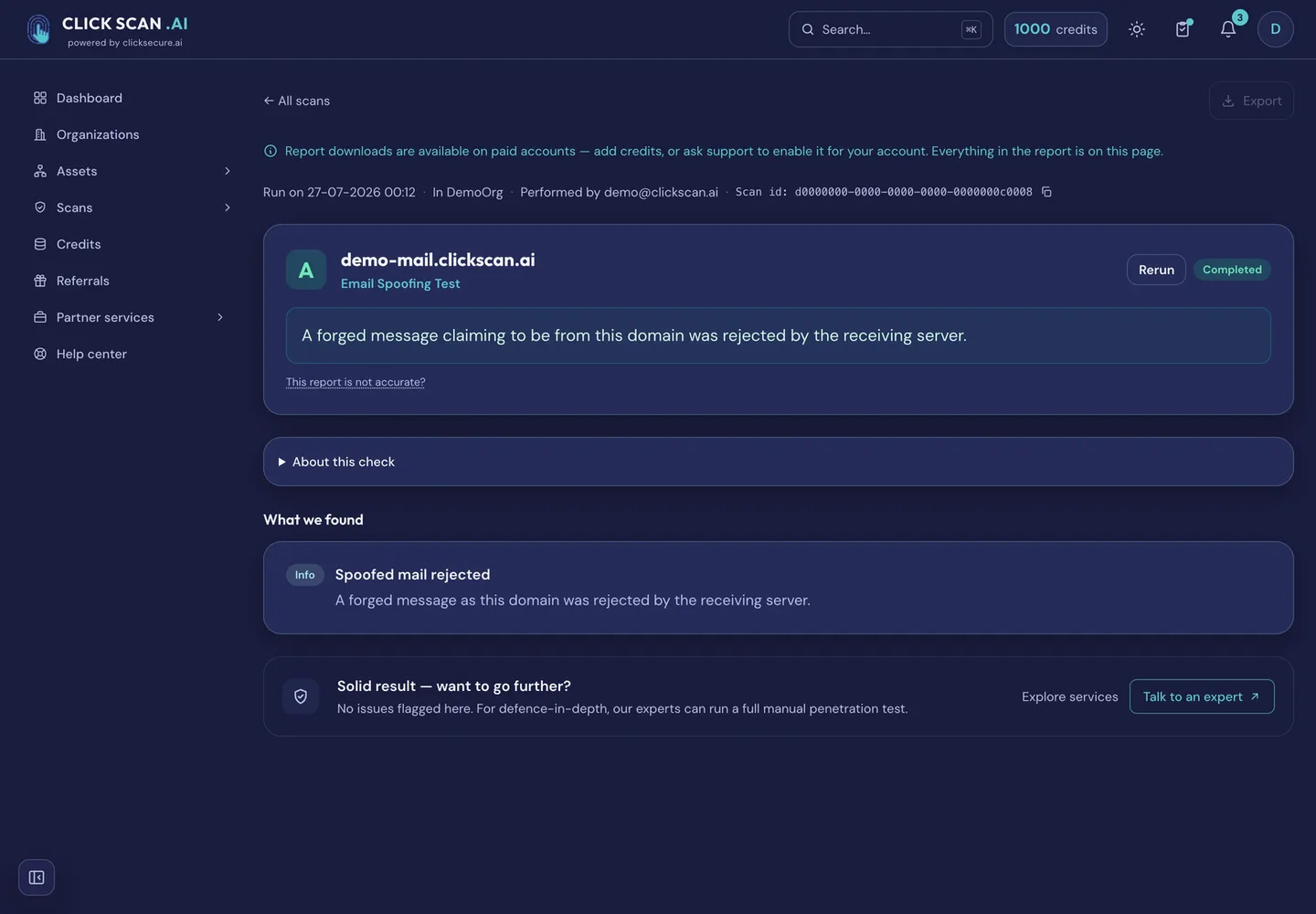
The spoofing test does not read your DMARC record and infer an answer. It delivers an actual forged message to the domain under test and reports what happened — and a refusal for the wrong reason is reported as inconclusive, never as a pass.
Subdomain discovery finds the names still pointing at a cloud service nobody pays for any more — the ones anybody can claim. It also establishes whether a domain is served through a filtering service and names the hosts answering on their own address around it, which is a way in that skips the protection you are paying for.
The port scan, the live spoofing test and the breach lookup need the asset proven yours first — by a DNS TXT record, a file at /.well-known/, a code emailed to an address at the domain, a callback from the IP, or reverse DNS.
Written to be forwarded
Every check is graded A+ to F, and the report names the finding that drove the grade, how severe it is, and whether we proved it ourselves or read it from a published record.
There is a DNS record generator too, which writes the exact SPF, DKIM, DMARC, MTA-STS, TLS-RPT and BIMI records to paste into your DNS provider. It runs in the browser and needs no scan first.
Certificate expiry alerts arrive at 30, 7 and 1 days, and on lapse. Between consecutive scans of the same asset, change detection reports what moved and notifies only when something did. A finding that genuinely does not apply to you can be marked as such, with a reason and an expiry, and it stops affecting the grade.
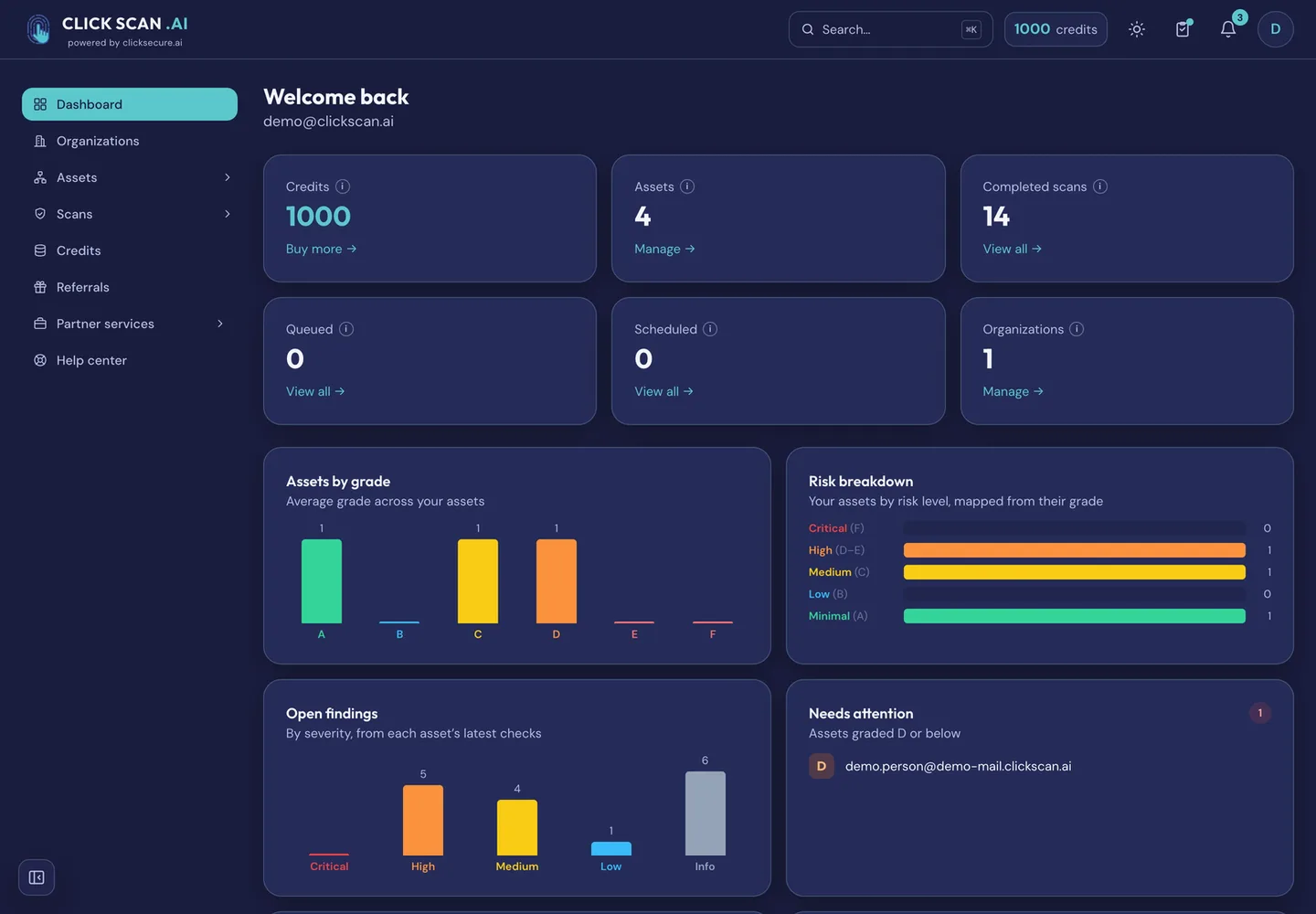
The dashboard tracks assets by grade, open findings by severity, coverage, and the grade trend over time — which is the view management asks for, and the PDF export is the one you hand to an auditor.
Two rules about the grade
Anything a third party observed rather than ClickScan is shown in the report — it is what an attacker learns for free — but it is never allowed to move your grade, and it is counted separately from your own findings.
And every reference list carries a date, a source and a trust limit, applied where the grade is computed rather than at display time. A list too stale to rely on silences the check instead of producing a guess.
What you can run for nothing
Every new account gets five starter credits. The certificate check, the security-headers check and the email-authentication check cost one credit each, so all three run on your domain twice over before you have spent anything. Seven of the eleven checks need no ownership proof at all. Reports display in full on screen on a free account; downloading one as a PDF is a paying-account feature.
What it costs after that
Pay-as-you-go credits. No subscription, no per-seat fee. Credits you buy never expire; free credits last twelve months and are spent first. A scan that fails is refunded, and a check with nothing to test is graded "not applicable" and refunded too. Sign-in is passwordless: a one-time code to your email address. No card to start.
A launch promotion is running on the credit packs right now: 20% off Growth, 10% off Pro and 20% off Scale. Prices are shown in the app before you pay.
Start free at app.clickscan.ai. The detail is at clickscan.ai/for-smes/.